01
The laptop camera
It looks up your nose, and the window behind you turns you into a silhouette. Good advice, and no way to look like it.

Your clients can tell when it's AI. Let them see you.
We install a studio in your office: camera, lights, mic and teleprompter on one desk on wheels. AI does most of the cutting, you're the one on camera, and we train your team on site.
Most teams aren't short of things to say. They're waiting for the setup to be right. The studio takes the waiting away.
It looks up your nose, and the window behind you turns you into a silhouette. Good advice, and no way to look like it.
Most of what a firm needs to say on camera is an update or an answer to a common question. None of it is worth a shoot day, so it doesn't get made.
Once the lighting's sorted. Once there's a better room. Once there's a free afternoon. The setup is never quite right, so nothing gets filmed. This one stays set up, so recording takes five steps, not an afternoon.

A 4K camera, two LED panels, a proper mic and a teleprompter, bolted onto a height-adjustable workstation that runs off one power lead.
Reception, the boardroom or a quiet corner. It moves as one unit, so there's nothing to configure between uses.
One cable into your own laptop and it's the camera for Teams and Zoom, so every call looks better, not only what you record.
Test frames from the studio camera: a plain wall, an open-plan office and a boardroom. The same picture goes to your Teams and Zoom calls.
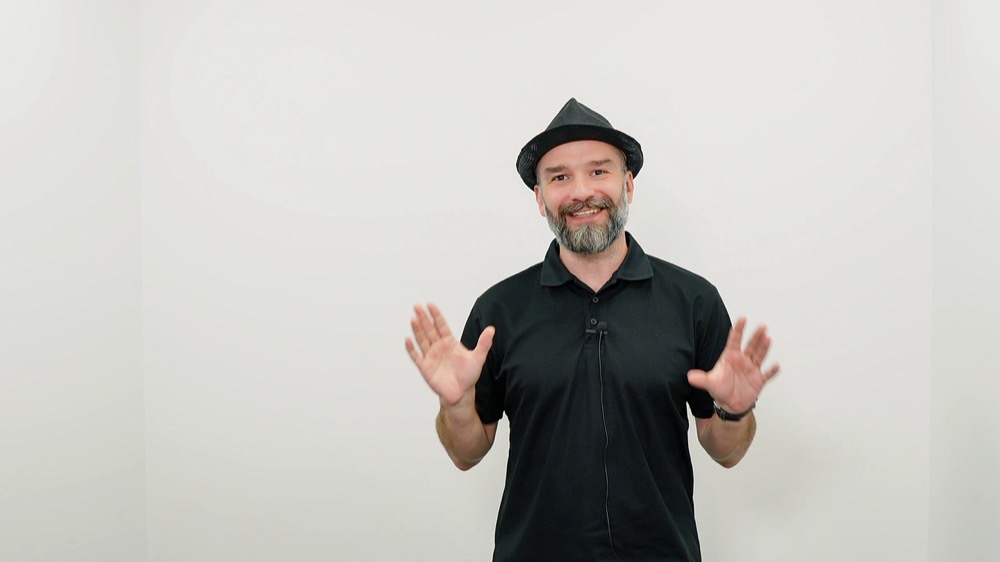
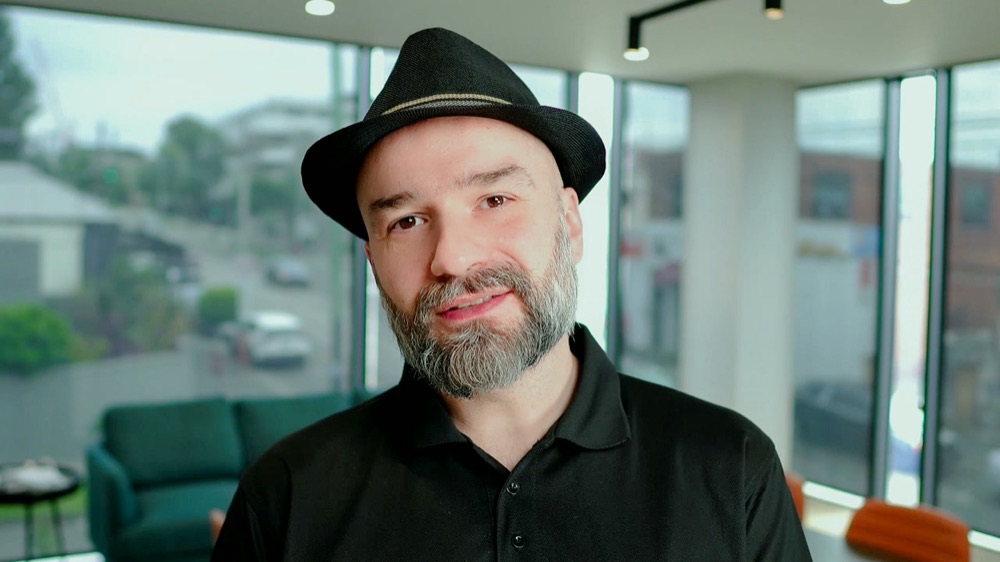
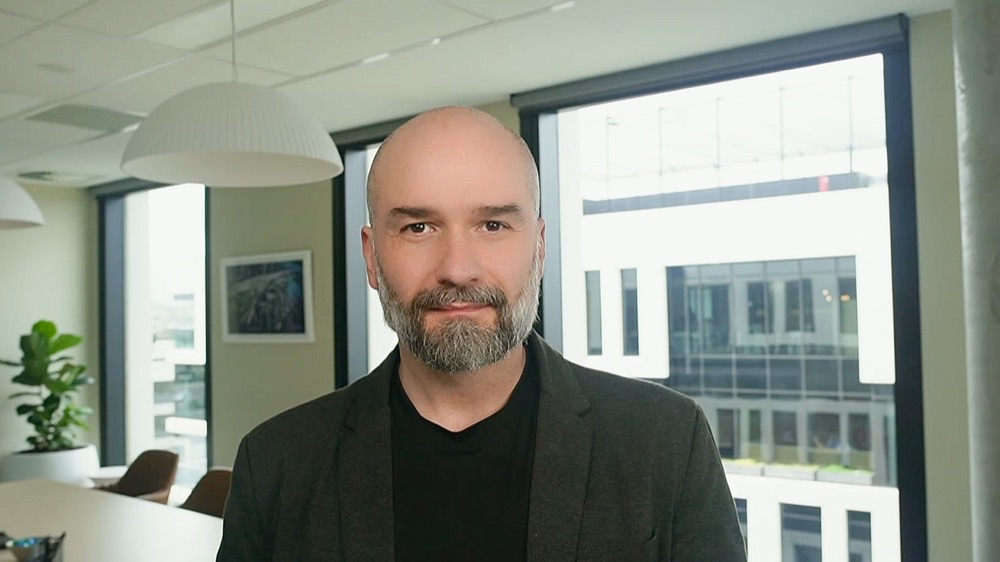
Here's what goes into your office, set up for your room and ready for anyone on the team.
A 4K camera at eye level and two soft LED panels, set up on install day for your room.
A mic mounted on the camera, with the sound set for your room on install day.
Your script scrolls on glass in front of the lens, so you read it while looking straight at the viewer. Script coaching is included.
The whole studio sits on a height-adjustable desk. We recommend standing to present, because people tend to come across with more energy on their feet. Lower it when you want a seated chat.
Keep it in a corner and wheel it out when someone needs it. Nothing to pack away or rebuild, and recording takes five steps.
We install it in your office and train everyone who'll use it to record and do a basic edit, on site.
Same kit, rolled from reception to the boardroom on the day we installed it. Photos as taken, nothing staged in a studio.
 Arek recording in reception
 Ready in a meeting room
 Arek, talking to camera
 Standing, by the glass board
 Reception, wide
 Side on
 In the boardroom
Your team will film and edit proper videos in under 60 minutes.
Twenty minutes on a video call. Walk Arek through the spaces in your office and he'll pick the best background, show you the likely framing and suggest one first video. If it's not the right fit, he'll say so.
We bring the kit, set the lights, framing and sound for your room, and train everyone who'll use it, on site. We set the install date together, once we've checked the kit is in stock.
Talk off the cuff or read from the teleprompter while looking straight down the lens. A one-page checklist stays on the wall.
Straight answers, so the call can be about your office and what you want to say.
$6,500 ex GST ($7,150 inc GST), paid once, and the kit is yours. That covers the kit, the install and training for everyone who'll use it. To record and edit we recommend Descript, where AI does most of the cutting. Descript is a monthly subscription on your own account. If you only want to record, Zoom or QuickTime will do. If you'd rather not edit, send us the footage and we'll edit it, quoted per video. The space check is free, and we only invoice after it.
The install, on-site training for everyone who'll use it to record and do a basic edit, and a session on writing a script and reading it naturally on the teleprompter, included free. Full Descript editing training is available as a separate session.
We can't change how you feel about the camera. What we can do is set the light, camera and mic for your room, so you look good and sound good. And because it stays set up, you can record a few takes on a quiet afternoon instead of a big shoot day.
Write it down once and read it off the lens. The teleprompter sits in front of the camera, so you look straight at the viewer while you read. At the free space check, Arek suggests your first video, and the script session is included.
Yes, and we recommend it. The desk raises and lowers, so you can stand to present or sit for a calmer chat.
Anywhere in metro Melbourne, included in the price. Further afield on request, with travel added.
No. It's for talking to camera: updates, explainers, answers to common questions and video calls. Brand films and events still need a crew, and we still film those.
Yes. The one on this page went into a Melbourne accounting practice in October 2026.
Book a free 20-minute space check with Arek, whether or not you go ahead. Pick a time, we send a video link, and you walk Arek through your office on your phone. By the end you'll know the best background, the likely framing and one first video to make.
P.S. The studio is $6,500 ex GST ($7,150 inc GST), paid once for the kit, install and on-site training, and the kit is yours. The script and teleprompter session is included free. The space check is free.